

Low Code Implementation
Our low-code implementation consists of three simple steps:- Corner Store onboarding
- Create Transaction For Checkout
- Confirm Delivery
1
Corner Store Onboarding
For each pre-approved user, we will generate a unique link for them to sign up and complete the onboarding process in our system. With this dynamic link, user’s can sign up and be approved for their line of credit in less than 1 minute.
The web app optimized for both mobile and desktop.Our onboarding process consists of a series of questions, each customized to the user’s specific risk.For example, please see below a fe questions we could request from the users: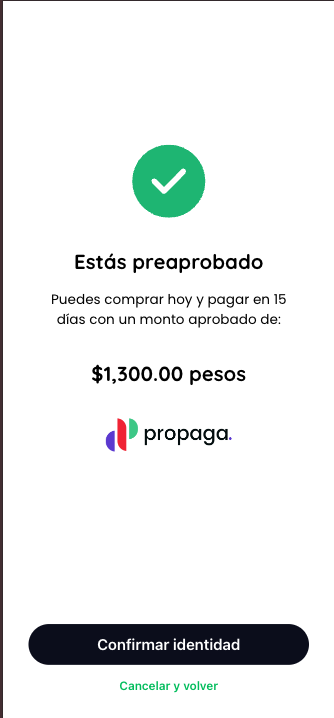
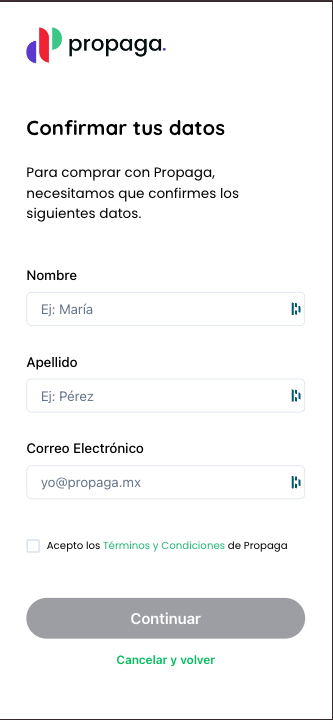
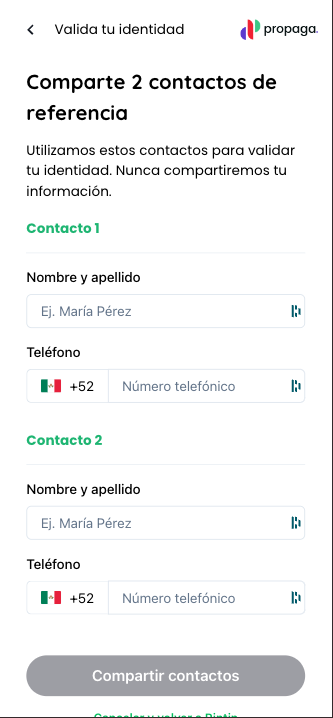
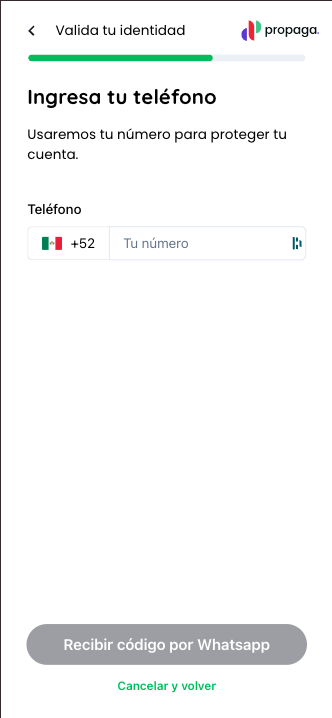
- Displaying the user’s pre-approved credit limit
- Collecting basic business information
- Uploading a government-issued ID (IFE)
- Taking a selfie for identity verification
- Providing a photo of the storefront
Corner Store Onboarding Use Case
Learn more about implementing the corner store onboarding use case.
2
Checkout Integration
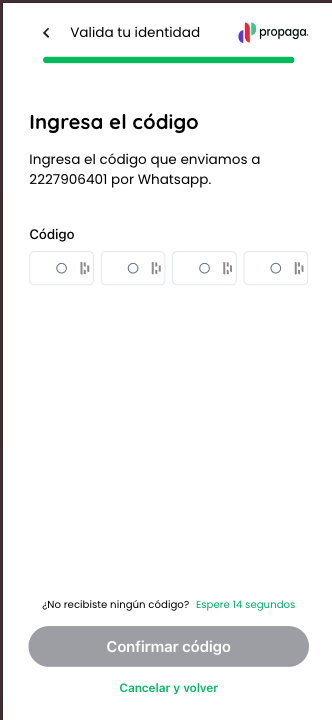
Once the user has completed onboarding, they are approved in real-time to proceed to the checkout process.At this stage, you will call an endpoint to create a transaction, which generates a unique payment link for the user with the appropriate amount and propaga fee.You can learn more about implementing this use case here:Please find below an example of the dynamic link generated for the user to complete the payment with Propaga. All the user will have to do to confirm the order is input a OTP (one time password) sent via whatsapp.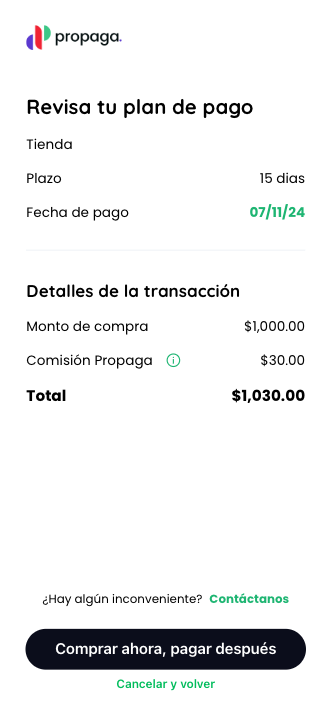
Create Transaction Link Use Case
Learn more about implementing the create transaction use case to generate a payment link.
3
Confirm Delivery
As the last step in the low code flow, you will confirm the delivery of the order. Once goods are delivered to customer, we will transfer the funds of the order directly to your account on the agreed upon schedule. Please find below the details of how to implement the confirm delivery use-case:
Notify transaction delivery
Learn more about how to implement the notify delivery use case.